
What Proactive Server Monitoring Looks Like for Businesses in Daytona Beach
Learn what proactive server monitoring looks like for Daytona Beach businesses, and how it helps prevent downtime, data loss, and surprise outages.
Published on · Craig Wheeler · How this article was made
When a server goes down, most businesses do not just lose access to one machine. They lose email, shared files, line-of-business apps, remote access, printing, backups, and often the ability to serve customers normally. That is why proactive server monitoring matters. It shifts IT from reacting after a failure to spotting trouble early, while there is still time to fix it.
For businesses in Daytona Beach, that approach is especially practical. Many local organizations support a mix of year-round operations and event-driven demand, from hospitality near the Speedway to healthcare, professional offices, and marine-related businesses along the Halifax River area. When systems slow down during a busy week, the problem is rarely just technical. It affects schedules, customer experience, and revenue.
The real goal is fewer surprises
A lot of people hear “server monitoring” and think it means someone gets an alert when a server is already offline. That is only a small part of the job. Good monitoring is about watching the health signals that usually show up before a bigger problem appears.
That includes things like:
- Disk space running low
- Backup jobs failing quietly
- Memory usage staying too high for too long
- CPU spikes that point to a software issue or attack
- Services that stop and restart repeatedly
- Unusual login activity
- Storage errors that suggest a drive may be failing
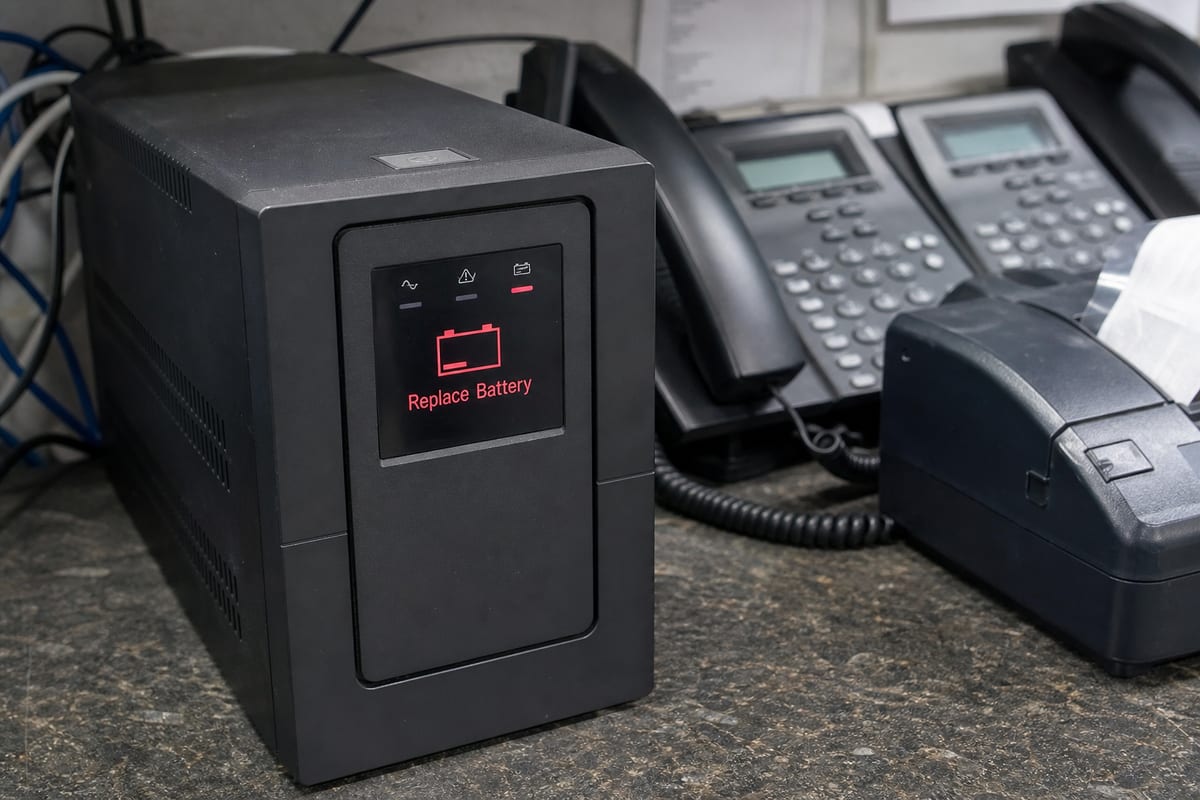
- Temperature, power, or hardware warnings
When these issues are caught early, your team can often fix them during business hours, on your schedule, instead of dealing with an outage at the worst possible moment.
What proactive monitoring actually includes

Effective monitoring combines software, process, and human review. Tools collect data constantly, but the value comes from knowing which alerts matter, what normal looks like for your environment, and when to escalate.
A strong IT Monitoring Services program usually includes:
- 24/7 alerting for critical server issues
- Performance trend analysis, not just one-time alerts
- Patch and update visibility
- Backup status checks
- Capacity planning for storage, memory, and compute usage
- Security event review
- Documentation of recurring issues and fixes
- Response procedures for after-hours incidents
This matters because not every warning deserves the same response. A brief CPU spike may be harmless. A slow increase in storage latency over several weeks may be the first sign of a more serious infrastructure problem. Proactive monitoring helps separate noise from risk.
Beyond uptime, protecting business continuity
Many companies think about server monitoring only in terms of availability. That is important, but it is not the whole picture. A server can stay online while still creating business problems.
For example, backups may be failing even though users can still log in. A database may remain accessible but perform so slowly that staff productivity drops all day. An application service may hang every morning and recover on its own, leaving a trail of small disruptions that never become a formal outage ticket.
That is where monitoring connects directly to continuity planning. When your server environment is watched closely, you can catch weak points before they turn into data loss or long recovery times. If continuity is a concern for your organization, it also helps to align monitoring with backup and disaster recovery planning.
Signs your current setup is too reactive
Some businesses technically have monitoring, but it is not helping much. The alerts go to an inbox no one checks regularly. Thresholds are too broad. Old warnings are never tuned. No one reviews trends. In that case, the business still ends up operating reactively.
You may need a better approach if:
- You usually learn about issues from employees first
- Server storage fills up without warning
- Failed backups are discovered days or weeks later
- Patches are inconsistent across systems
- After-hours alerts do not lead to action
- You cannot easily tell which servers are most critical
- Recurring problems keep coming back without a root cause fix
If any of those sound familiar, the problem may not be the lack of tools. It may be the lack of ownership, process, and follow-through.
Local context matters more than people think
Not every business in Daytona Beach uses servers the same way. A legal office with document-heavy workflows has different monitoring priorities than a hotel property handling reservation systems, or a manufacturer tracking inventory and production data. The right setup depends on what your servers actually support.
In Daytona Beach, event activity around Daytona International Speedway can put extra pressure on hospitality and service businesses that need stable systems during peak periods. For those organizations, proactive monitoring is not just about average daily performance. It is about making sure critical systems are healthy before demand ramps up, and that someone is watching for bottlenecks while business volume is elevated.
That local operational rhythm is a good reminder that monitoring should fit the business, not the other way around.
What a healthy monitoring process looks like
The best monitoring programs are simple to understand from the business side, even if the technical work behind them is complex. You should be able to answer a few basic questions clearly:
- Which servers are being monitored?
- What counts as a critical alert?
- Who gets notified, and when?
- What is handled automatically, and what needs human response?
- How are backup failures tracked?
- How are recurring issues documented and resolved?
- What reporting shows trends over time?
If those answers are vague, your monitoring may not be mature enough yet.
A reliable process often includes regular review meetings, alert tuning, patch oversight, and coordination with your broader managed IT services. Monitoring works best when it is part of an ongoing support strategy, not a standalone tool that only gets attention during emergencies.
Choosing the right alerts, not the most alerts
One of the most common mistakes in server monitoring is over-alerting. If every minor event triggers a warning, teams start ignoring notifications. That can make a real problem easier to miss.
The goal is useful visibility. Good alert design focuses on conditions that affect risk, performance, security, or continuity. It also uses thresholds that match the server’s role. A file server, domain controller, application server, and backup server should not all be monitored the same way.
This is another reason experienced review matters. Monitoring platforms can generate a huge amount of data, but businesses benefit most when that data is translated into action. Sometimes the right response is immediate remediation. Sometimes it is planning a storage upgrade next month. Sometimes it is investigating a pattern that points to a cybersecurity issue.
FAQ
Do small businesses in Daytona Beach need proactive server monitoring?
Yes, if your business depends on servers for files, applications, authentication, backups, or remote access, monitoring is worth it. Smaller organizations often feel outages more sharply because they have less redundancy and fewer internal IT resources.
Can proactive monitoring help prevent ransomware damage?
It can help reduce risk and improve response time. Monitoring may catch unusual resource usage, suspicious services, failed backups, or abnormal login activity. It is not a complete security program by itself, but it is an important layer.
Is cloud infrastructure monitored the same way as on-premises servers?
Not exactly. The goals are similar, but the metrics, tools, and responsibilities can differ. Cloud systems still need visibility into performance, access, backups, and service health, even when the hardware is managed by a provider.
How often should server alerts be reviewed?
Critical alerts should be reviewed as they happen. Beyond that, trends and recurring warnings should be reviewed regularly so small issues do not become chronic problems.
What is the difference between monitoring and maintenance?
Monitoring is the ongoing visibility into system health and risk. Maintenance is the hands-on work that follows, such as patching, cleanup, hardware replacement, configuration changes, and remediation.
Proactive server monitoring is really about control. Instead of waiting for a failure to interrupt your day, you build visibility into the systems your business relies on and respond before small issues grow into expensive ones.
If your servers support core operations, monitoring should not be treated as optional or passive. It should be active, reviewed, and aligned with the way your business actually works in Daytona Beach.
Contact us today for expert proactive server monitoring services!