The Case for Proactive IT Monitoring in Growing Businesses
Compare reactive support and proactive IT monitoring to see how growing businesses reduce downtime, risk, and surprise IT issues.
Published on · Craig Wheeler · How this article was made

Many businesses still treat technology support like emergency plumbing. If the internet drops, a server slows down, or employees cannot access a key app, someone calls for help. That reactive model can work for a while, especially in smaller environments, but it often creates a pattern of avoidable disruption.
Proactive IT monitoring takes a different approach. Instead of waiting for users to report a problem, your systems are watched for warning signs such as failed backups, storage limits, unusual device behavior, patching gaps, and performance changes. The goal is not just to fix issues faster. It is to catch more of them before they interrupt the workday.
For many organizations, the real decision is not whether technology needs attention. It is whether that attention happens before the disruption or after it.
Reactive support versus proactive monitoring
Reactive support is straightforward. Something breaks, someone notices, and the IT team responds. The upside is simplicity. You are not paying for as much ongoing oversight, and if your environment is very small or rarely changes, that may feel efficient.
The tradeoff is unpredictability. Problems tend to surface at the worst times, when staff are busiest, customers are waiting, or deadlines are close. A printer issue is inconvenient. A line-of-business application outage, failed backup, or network slowdown can affect revenue, customer trust, and internal productivity.
Proactive monitoring adds structure and visibility. Systems, endpoints, and network devices are checked continuously or on a regular schedule for signs of trouble. Alerts can point to high disk usage, offline devices, unusual login patterns, hardware stress, or security tools that are no longer working as expected. Teams can then step in before small issues become large ones.
That does not mean proactive monitoring prevents every incident. Hardware still fails, software still has bugs, and people still make mistakes. What it changes is your odds. You spend less time being surprised, and more time making informed decisions.
Not all monitoring approaches deliver the same value
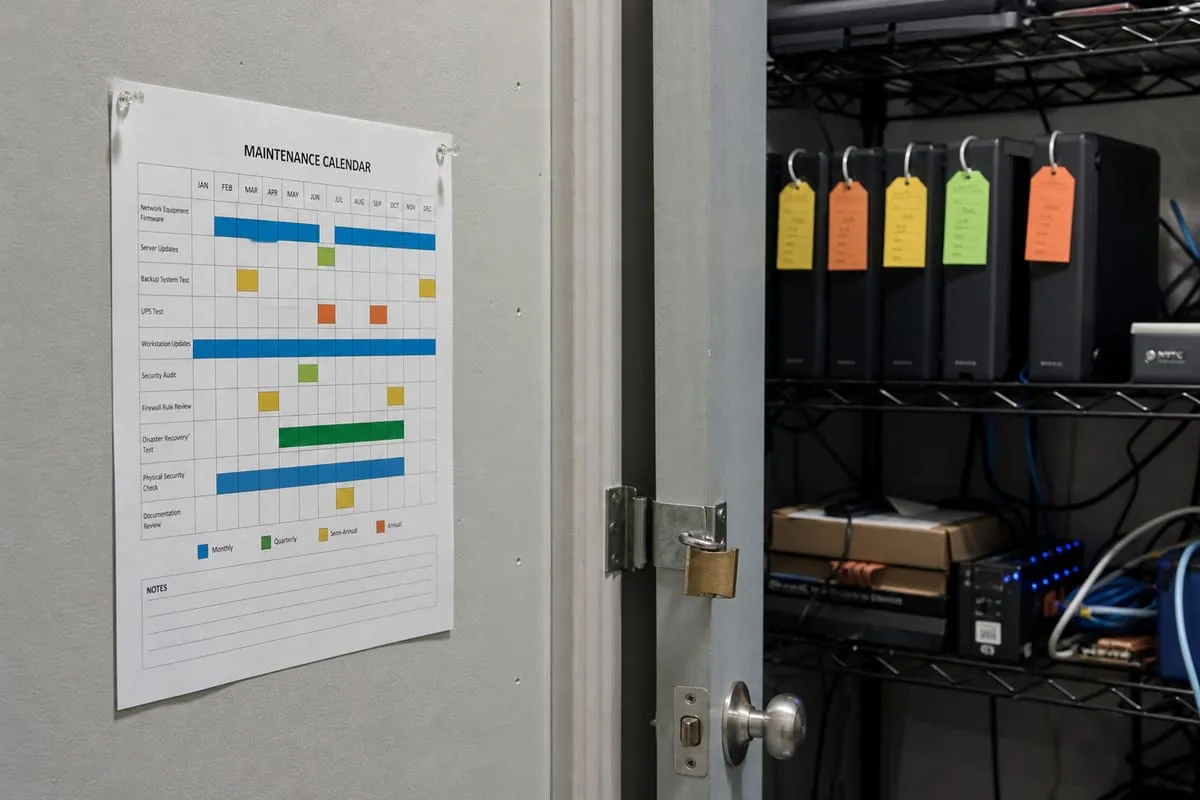
Some businesses hear “monitoring” and picture a dashboard full of red, yellow, and green icons. Others assume it means antivirus alerts and little else. In practice, there are a few very different ways to approach it.
Basic alerting
Basic alerting is the lightest version. A tool sends notifications when a device goes offline, a backup fails, or a server hits a resource threshold. This is better than having no visibility at all, and it can be enough for stable environments with limited complexity.
Its weakness is context. A flood of alerts without prioritization can create noise, and low-value notifications may train teams to ignore important ones. Basic alerting tells you something happened. It does not always help you understand what matters most or what should happen next.
Active monitoring with response workflows
A more mature model combines monitoring with documented response steps. Alerts are tuned, escalated, and connected to action. If a workstation misses patches, there is a process. If a backup fails twice, there is a review. If a firewall reports unusual behavior, someone investigates instead of simply acknowledging the alert.
This approach usually delivers stronger operational value because it connects visibility to accountability. It also requires more discipline. Thresholds need tuning, asset inventories need to stay current, and teams need clear ownership.
In many cases, this is where businesses begin to feel the real benefit of IT Monitoring Services. The value is not just watching systems. It is building a repeatable way to respond before users feel the impact.
Monitoring tied to business risk
The most strategic approach starts with business priorities, not just devices. Instead of asking, “What can we monitor?” the better question is, “What would hurt us most if it failed quietly?”
For one company, that may be backup integrity and Microsoft 365 access. For another, it may be a line-of-business application, remote access reliability, or compliance-related logging. This risk-based view helps businesses avoid spending time on every possible alert while missing the systems that matter most.
If you are unsure where your biggest blind spots are, a cybersecurity risk assessment can help clarify which assets and processes deserve the most attention.
The tradeoff between cost and downtime
A common objection to proactive monitoring is cost. On paper, reactive support can seem cheaper because you only pay when something goes wrong.
The problem is that downtime rarely arrives as a neat, isolated expense. It shows up as delayed work, frustrated employees, interrupted customer service, rushed decision-making, and preventable after-hours fixes. It can also create secondary costs, such as recovering from failed updates that were never noticed, or trying to restore data from backups that were assumed to be working.
Proactive monitoring shifts some of that spending from emergency response into planned oversight. That may increase predictable monthly costs, but it often reduces the financial and operational volatility that comes with surprise outages.
For leadership teams, that predictability matters. It is easier to budget for steady prevention than to explain repeated disruption.
Security visibility versus operational visibility
Another useful comparison is between security-focused monitoring and operations-focused monitoring. Businesses often assume one covers the other, but they solve different problems.
Operational monitoring looks for performance and reliability issues. Think device health, storage capacity, patch compliance, backup status, internet uptime, and service availability. Security monitoring focuses more on suspicious behavior, policy gaps, unauthorized access, and signs of compromise.
Both matter, and the strongest environments treat them as connected, not interchangeable. A failed backup is an operations problem until ransomware turns it into a crisis. An unpatched endpoint is an IT maintenance issue until it becomes a security incident.
That is why proactive monitoring works best when it supports both resilience and risk reduction. If your current setup is strong on one side and weak on the other, it may be time for a broader conversation through a security strategy call.
In-house oversight or outsourced support
There is also a practical staffing question. Should proactive monitoring be handled internally, externally, or with a mix of both?
An internal team often knows the environment, users, and business priorities in greater detail. That familiarity can improve decision-making and speed up remediation. The downside is bandwidth. Internal teams are usually pulled toward projects, user support, vendor coordination, and urgent requests, which can leave monitoring under-tuned or inconsistently reviewed.
An outsourced partner can bring process, tooling, and round-the-clock consistency that is difficult for a smaller team to maintain alone. The tradeoff is that outside support needs good documentation, clear escalation paths, and regular communication to stay aligned with business goals.
For many growing organizations, the best answer is shared responsibility. Internal staff maintain strategic ownership, while an outside provider helps with visibility, alert triage, and routine remediation. That model can be especially useful for businesses in the Daytona Beach area that need dependable oversight without building a larger internal IT department right away.
What good proactive monitoring actually looks like
Effective monitoring is not about collecting every signal possible. It is about identifying the signals that lead to better decisions.
A useful program usually includes:
- Clear coverage of critical systems, endpoints, backups, and network devices
- Alert thresholds that are tuned to reduce noise
- Defined response steps for common issues
- Regular review of recurring alerts and root causes
- Visibility into patching, hardware health, and service availability
- Alignment between technical alerts and business priorities
You do not need enterprise complexity to benefit from this. Even a modest environment can gain a lot from knowing when backups fail, devices fall behind on updates, storage fills up, or internet performance degrades over time.
The key is consistency. Monitoring only helps when alerts are meaningful and someone is responsible for acting on them.
Where reactive support still makes sense
A comparison is only useful if it admits nuance. Reactive support is not always the wrong choice.
For very small organizations with minimal infrastructure, limited compliance requirements, and a high tolerance for occasional disruption, a mostly reactive model may be reasonable for a time. If losing access to a system for an hour creates little business impact, constant oversight may not feel essential.
But that threshold changes quickly as a business grows. More employees, more cloud services, more remote access, and more customer expectations all increase the cost of unseen problems. What once felt manageable can become fragile without much warning.
That is often the point where proactive monitoring stops being a nice extra and starts becoming part of basic operational discipline.
Proactive IT monitoring is ultimately a choice about how you want technology problems to show up in your business. You can discover them through disruption, or you can discover more of them through visibility.
Neither model removes every risk, but one gives you a better chance to respond on your terms instead of in the middle of a fire drill. For growing businesses, that difference is often where better uptime, smoother operations, and fewer unpleasant surprises begin.
If you want a clearer picture of what your systems are trying to tell you before issues escalate, IT Monitoring Services can help you build that visibility.
Ready to talk about proactive IT monitoring? Contact us to get started.