A Practical Guide to IT Monitoring for Businesses in Port Orange
Learn how proactive IT monitoring helps Port Orange businesses reduce downtime, catch issues early, and keep daily operations running smoothly.
Published on · Craig Wheeler · How this article was made
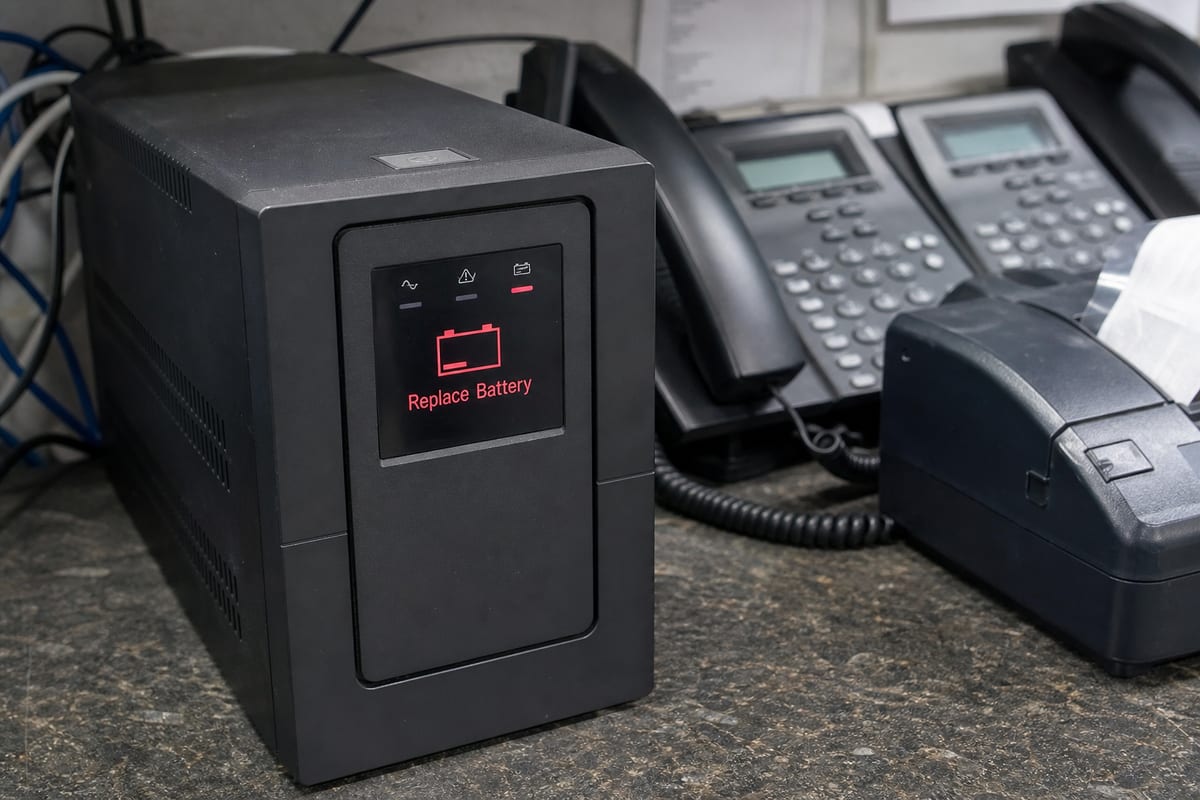
For many businesses, technology problems do not start with a dramatic outage. They start quietly, with a server running hot, a backup failing overnight, a firewall logging unusual activity, or an internet circuit slowing down at the worst time of day. Good IT monitoring is about catching those small warning signs before they become expensive interruptions.
In Port Orange, that matters more than many business owners realize. The city has a mix of healthcare practices, professional offices, retail, automotive businesses, and service companies spread along busy corridors like Dunlawton Avenue and Nova Road. When systems go down, the impact is immediate, whether that means missed appointments, delayed customer service, or staff who cannot access the tools they need.
Why monitoring matters more than break-fix support
Traditional break-fix support waits for something to fail, then responds. Monitoring takes a different approach. It keeps watch over the health, performance, and security of the systems your team depends on every day.
That usually includes:
- Servers and workstations
- Network devices such as switches, routers, and firewalls
- Internet connectivity and Wi-Fi performance
- Backups and storage capacity
- Security alerts and suspicious login activity
- Critical business applications and cloud services
When monitoring is set up well, many issues can be identified and resolved before your team even notices a problem. If you are comparing options, our IT Monitoring Services are designed to give businesses more visibility and fewer surprises.
The real business value for Port Orange companies
Monitoring is not just a technical tool. It supports day-to-day operations in practical ways.
Fewer interruptions during business hours
A slow network, failing hard drive, or overloaded server can gradually affect productivity long before a full outage happens. Monitoring helps spot patterns early so repairs or adjustments can be made on your schedule, not in the middle of a busy workday.
Better support for small internal teams
Many growing businesses in Port Orange do not have a full in-house IT department. They may have one office manager, one operations lead, or a tech-savvy employee handling too much already. Monitoring gives those businesses a way to stay ahead of issues without relying on someone to manually check every system.
Faster response when something does go wrong
Even with strong prevention, problems can still happen. The difference is that monitored environments usually provide clearer alerts, better diagnostics, and a faster path to resolution. That means less time spent guessing and more time fixing.
Stronger security awareness
Monitoring often plays an important role in cybersecurity by flagging unusual behavior, failed login attempts, device health issues, and missing updates. It is not a replacement for a full security strategy, but it is a valuable layer of protection. If security visibility is also a concern, a cybersecurity risk assessment can help identify broader risks.
Common signs your current setup is not being monitored well
A lot of businesses think they have monitoring because they get occasional alerts or because antivirus is installed. In reality, effective monitoring is broader and more consistent.
Here are a few signs the current approach may be too limited:
- You find out about outages from employees or customers
- Backups fail and no one notices for days
- Internet slowdowns are common, but the cause is never clear
- Devices are low on storage or overdue for updates
- Printers, Wi-Fi, or shared drives fail repeatedly without root cause analysis
- Alerts exist, but they go to an inbox no one actively reviews
If any of those sound familiar, the issue may not be your hardware alone. It may be a visibility problem.
Local context matters when designing alerts
Not every business in Port Orange runs the same way, and monitoring should reflect that. A medical office near Halifax Health’s Port Orange area facilities may need tighter oversight of uptime, backups, and secure access during appointment hours. A retailer near The Pavilion at Port Orange may care more about point-of-sale reliability, guest Wi-Fi stability, and after-hours alerting that catches issues before opening.
That is why useful monitoring is not just about turning on every possible notification. It is about deciding which systems are truly critical, who should be alerted, and what response process makes sense for your operation.
The systems worth watching most closely
Some assets deserve more attention because they create the biggest business impact when they fail.
Network infrastructure
Your firewall, switches, access points, and internet connection form the backbone of daily work. Monitoring should track uptime, bandwidth use, hardware health, and unusual traffic patterns.
Backup success and storage growth
Backups are only helpful if they complete successfully and can be restored when needed. Monitoring should verify completion status, watch for storage capacity issues, and flag repeated failures quickly.
Endpoints and user devices
Laptops and desktops often reveal early warning signs such as failing disks, patching issues, resource overuse, or recurring software errors. In many offices, endpoint issues are the first clue that a larger problem is developing.
Cloud applications and remote access
Many businesses now rely on Microsoft 365, line-of-business cloud apps, VPNs, and remote desktop tools. Monitoring should include login health, sync problems, and service disruptions that affect staff working from different locations.
Choosing a monitoring approach that fits your business
There is no single template that works for every company. The right setup depends on your size, risk tolerance, compliance needs, and how dependent your operations are on technology.
A useful monitoring plan usually answers these questions:
- Which systems are business-critical?
- What should trigger an alert immediately?
- Who receives alerts, and who takes action?
- What issues can be resolved remotely?
- How often are alert thresholds reviewed and adjusted?
- How is monitoring tied to patching, support, and security processes?
For many organizations, monitoring works best when it is part of a broader support strategy rather than a standalone tool. Our IT support services help connect monitoring with real troubleshooting and ongoing maintenance.
Avoiding alert fatigue
One of the biggest mistakes in IT monitoring is generating too many alerts with no clear priority. When everything looks urgent, teams start ignoring notifications, and important warnings get missed.
A better approach is to classify alerts based on business impact. For example, a failed backup, offline firewall, or unreachable server deserves immediate attention. A minor disk space warning on a noncritical device may only need scheduled follow-up. Good monitoring creates clarity, not noise.
FAQ
How is IT monitoring different from IT support?
Monitoring is the ongoing observation of systems to catch issues early. IT support is the hands-on work of troubleshooting, repairing, and assisting users when problems arise. The two work best together.
Can a small business in Port Orange benefit from monitoring?
Yes. Small businesses often feel downtime more sharply because they have fewer backup processes and fewer internal technical resources. Monitoring helps them stay proactive without building a large in-house team.
Does monitoring prevent every outage?
No. It cannot eliminate every failure, especially if a problem is sudden or caused by outside factors. What it does is reduce avoidable downtime, improve visibility, and speed up response when issues occur.
Should cloud services be monitored too?
Yes. Even if your software is cloud-based, your users still depend on internet access, device health, account security, and service availability. Monitoring should include those moving parts.
Technology problems are easier to manage when they are visible early. That is the real value of monitoring, it gives your business more control, fewer surprises, and better continuity when daily operations depend on connected systems.
If your team is tired of reacting to recurring issues, a more proactive approach may be the next step. Businesses in Port Orange deserve monitoring that reflects how they actually work, not a one-size-fits-all checklist.
Contact us today for expert it monitoring services!