Reliable Technology Support That Keeps Daytona Beach Businesses Moving
Learn how dependable IT support helps Daytona Beach businesses reduce downtime, improve security, and keep daily operations on track.
Published on · Craig Wheeler · How this article was made

When your systems slow down, your team feels it immediately. Phones lag, files stop syncing, printers go offline, and simple tasks start taking twice as long. Good IT support is not just about fixing broken devices, it is about keeping your business productive, secure, and ready for the workday ahead.
For businesses in Daytona Beach, that support needs to fit the way local organizations actually operate. This is a city with a mix of hospitality, healthcare, professional services, retail, and businesses tied to motorsports and major events around Daytona International Speedway. That means technology demands can shift quickly, from handling front desk systems and guest Wi-Fi to protecting sensitive records and supporting busy seasonal workflows without losing momentum.
Why dependable support matters more than most teams realize
Many companies do not think much about IT until something fails. The problem is that technology issues rarely stay small for long. A missed software update can turn into a security gap. One unreliable workstation can delay an entire process. A network issue in one office can affect customer service, billing, scheduling, and communication all at once.
Strong IT support services help prevent those problems before they spread. That usually includes day-to-day troubleshooting, device setup, software support, user assistance, patching, and guidance on how your systems should work together. The real value is not only in solving tickets quickly, it is in creating a more stable environment where your team can do its job without constant interruptions.
The local business environment changes the kind of help you need
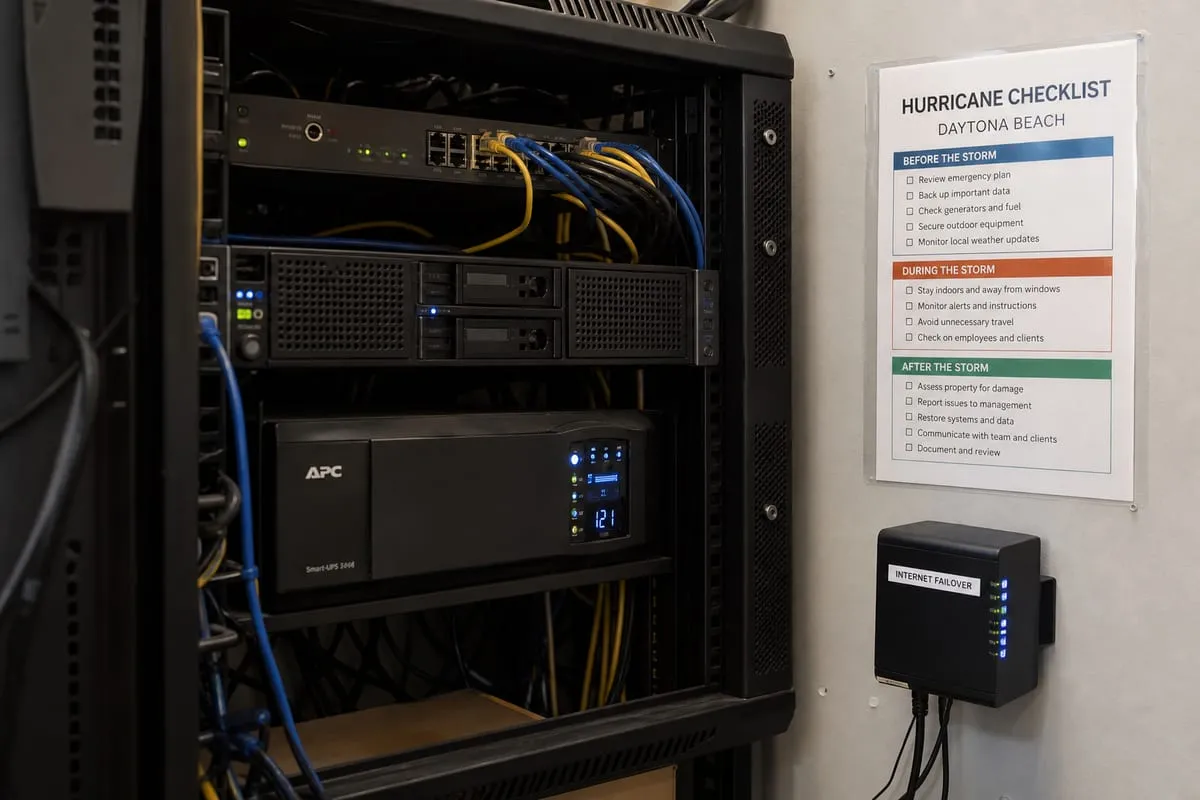
Daytona Beach is not a one-size-fits-all market. A law office near downtown has different priorities than a hotel property serving visitors near the beachside corridor. A healthcare practice may need better user access controls and dependable backup routines, while a retail business may care most about point-of-sale uptime and fast vendor coordination.
That is why useful support starts with context. A provider should understand how your business runs, which systems are essential, when downtime hurts most, and where recurring issues are costing your team time. The best support is practical, not overly complicated. It aligns technology with the pace and reality of your business.
Signs your current setup is costing you more than you think
Some IT problems are obvious, but many become part of the routine and get ignored. If any of these sound familiar, your business may be due for a more proactive approach:
- Employees regularly restart devices or applications just to get through the day
- Staff are unsure who to contact when something goes wrong
- New employees are onboarded slowly because account setup takes too long
- Shared files are disorganized or difficult to access
- Printers, Wi-Fi, phones, or email cause repeated frustration
- Software updates happen inconsistently
- Leadership has little visibility into risks, aging hardware, or support trends
These issues do not always look dramatic on their own. Together, they create drag across the business. Over time, that drag affects customer experience, employee morale, and your ability to grow efficiently.
Support should solve today’s issue and reduce tomorrow’s risk
A helpful IT partner does more than react. They look for patterns. If the same laptop model keeps failing, there may be a hardware standardization issue. If password resets are consuming too much time, there may be a better identity workflow. If employees keep falling for suspicious emails, it may be time to review your defenses and training.
That is where a broader security conversation becomes important. If you are unsure whether your current environment has gaps, a cybersecurity risk assessment can help identify weak points before they become bigger problems.
What good IT support usually includes
The right support plan depends on your size and needs, but most businesses benefit from a core set of services that keep operations steady:
Responsive help for everyday issues
Your team needs a clear way to get help when devices, software, email, or network access are not working properly. Fast response matters, but so does communication. People should know what is happening, what to expect, and whether a fix is temporary or permanent.
Proactive maintenance
Routine patching, system checks, and hardware reviews reduce avoidable issues. Proactive work often gets less attention because it happens in the background, but it is one of the main reasons well-supported environments experience fewer surprises.
User and device management
As your team changes, accounts, permissions, laptops, phones, and software licenses need to be managed consistently. That protects data and helps employees get productive faster.
Network and connectivity support
A stable network is essential for nearly every business function. Troubleshooting Wi-Fi coverage, firewall issues, office connectivity, and vendor coordination can save hours of disruption.
Planning and guidance
Support should not stop at fixing problems. Businesses also need advice on replacing aging equipment, improving workflows, budgeting for upgrades, and making smarter technology decisions over time.
Choosing a provider without getting lost in technical jargon
If you are evaluating support options, focus less on buzzwords and more on how a provider works. Ask practical questions:
- How do employees request help?
- What does onboarding look like?
- How are recurring issues tracked and addressed?
- Will you receive strategic guidance, or only break-fix support?
- How do they handle vendor communication?
- What happens if a security issue is suspected?
- How do they document your environment?
Clear answers are usually a good sign. If a provider cannot explain their process in plain language, it may be difficult to trust them when something urgent happens.
A better fit for growing teams in Daytona Beach
Businesses in Daytona Beach often need support that can flex with growth. A small office may start with a handful of users and cloud apps, then add more staff, multiple locations, security requirements, or specialized software. Support should scale with that growth instead of forcing a major reset every time your business changes.
That is one reason many organizations look for a long-term partner rather than occasional emergency help. Ongoing support creates familiarity with your systems, your staff, and your priorities. It also makes it easier to spot risks early and recommend improvements at the right time.
If you want a clearer picture of your current needs and next steps, you can start with a cybersecurity strategy call. Even if security is your first concern, the conversation often reveals broader support and infrastructure opportunities.
FAQ
How quickly should a business expect help from an IT support provider?
That depends on the agreement and the severity of the issue. Critical outages should receive urgent attention, while smaller requests may be handled in normal support queues. What matters most is that expectations are clear and response processes are documented.
Is IT support only for larger companies?
No. Small and midsize businesses often benefit the most because they usually have less internal capacity to manage device issues, user support, updates, and security consistently.
Can support help with cybersecurity too?
Yes, in many cases. Day-to-day support often overlaps with account security, patch management, suspicious activity response, and device protection. If your risks are growing, support should connect closely with a broader security plan.
When should a business replace break-fix support with ongoing support?
Usually when recurring issues, downtime, inconsistent security practices, or growth start making reactive support too costly. If your team is losing time regularly, a proactive model is often the better investment.
What makes local support useful?
Local familiarity can help with faster coordination, better understanding of your business environment, and stronger working relationships. It is especially valuable when your provider takes time to understand how your team actually works, not just what technology you use.
Technology should make your business easier to run, not harder. If your team is constantly working around recurring issues, waiting for fixes, or worrying about whether systems are secure, it may be time for a more dependable approach.
The right support helps you reduce downtime, improve consistency, and give employees the tools they need to do their jobs well. If you are looking for a smarter way to support your business in Daytona Beach, our IT support team is here to help.
Contact us today for expert it support services!