A Practical Guide to IT Support in Port Orange
Learn what reliable IT support looks like for Port Orange businesses, from fast help desk response to security, cloud tools, and planning.
Published on · Craig Wheeler · How this article was made
For many small and midsize businesses, technology problems do not show up as dramatic outages. They appear as slower workflows, recurring printer issues, login trouble, spotty Wi-Fi, confusing software updates, and staff losing time on tasks that should be simple. Good IT support solves those daily frustrations before they become expensive disruptions.
In Port Orange, that matters even more because many businesses operate in a practical, service-driven environment. Medical and dental offices, professional firms, retail shops, local contractors, and hospitality businesses all depend on systems that need to work consistently, even if they do not have a full internal IT department. Whether your team is near Dunlawton Avenue, serving customers around Pavilion at Port Orange, or working with clients across the broader Volusia County area, reliable support should fit the pace of your business and the way your staff actually works.
The real job of IT support
A lot of business owners think IT support begins when something breaks. In reality, the best support starts much earlier. It includes planning, maintenance, user help, security basics, and clear guidance about where your technology is helping or holding you back.
That usually includes:
- Help desk support for day-to-day user issues
- Device setup and maintenance for computers, laptops, and mobile devices
- Network troubleshooting for internet, Wi-Fi, and shared systems
- User account management and password resets
- Software patching and update coordination
- Basic cybersecurity protections and response steps
- Vendor coordination when internet, phone, or software providers are involved
- Strategic advice on replacements, upgrades, and standardization
A strong provider does not just close tickets. They reduce repeat problems, improve reliability, and make technology easier for your team to use.
If you are evaluating support options, start with the basics offered through IT Support Services. The right fit should cover both urgent issues and the preventive work that keeps your environment stable.
Why local context matters in Port Orange
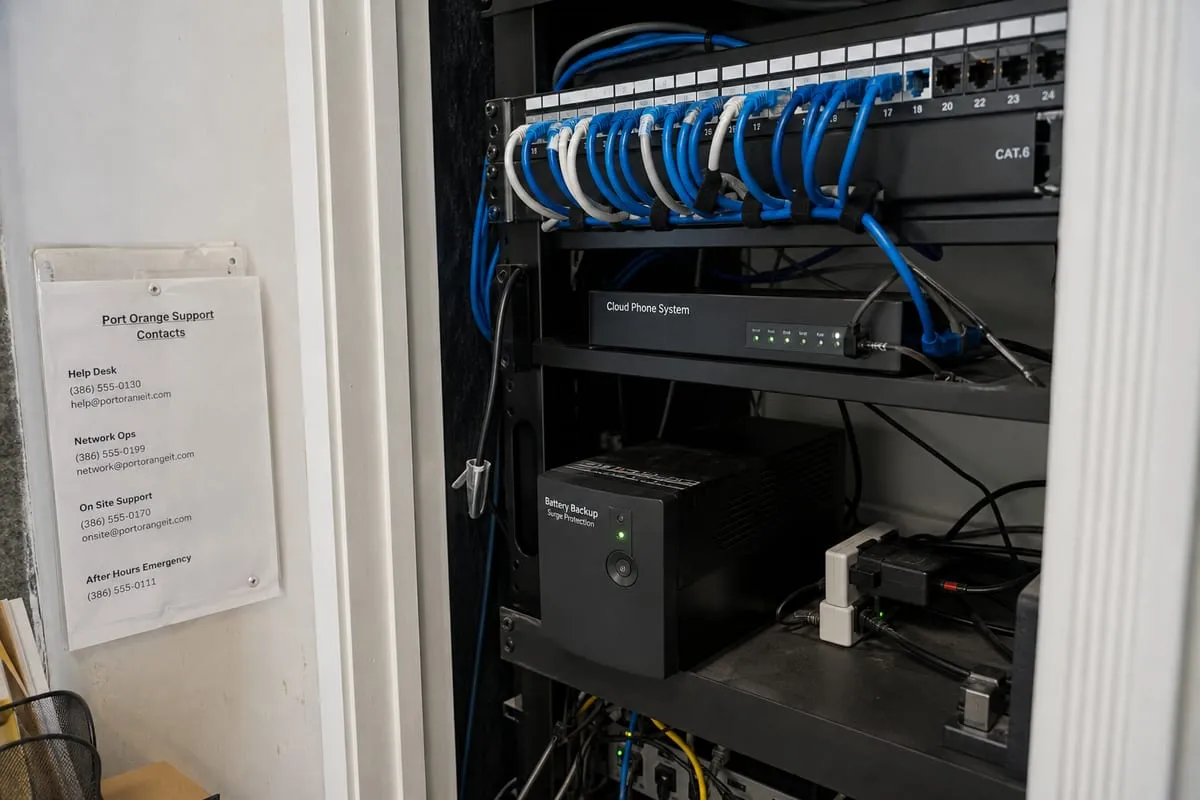
Port Orange has a business mix that creates a specific kind of IT demand. It is not just a bedroom community or a tourist corridor. It has a strong base of healthcare practices, local service companies, education-related organizations, and growing professional offices. Many of these businesses need systems that are dependable, easy for staff to use, and secure enough to protect client or patient information.
That local mix changes the support conversation. A dental office has different priorities than a retail store. A contractor with field staff needs different tools than an accounting office. A support partner who understands businesses in Port Orange should be able to adapt recommendations to those real operating conditions instead of pushing the same stack on everyone.
Signs your current support may be holding you back
Not every IT problem looks technical from the outside. Sometimes the warning signs show up in operations first.
You may need better support if:
- Employees keep creating workarounds instead of using approved systems
- The same issues return month after month
- New hires are set up slowly or inconsistently
- Nobody is sure which devices, licenses, or vendors the business is paying for
- Security settings vary from one user or device to another
- Leadership only hears from IT when there is a problem
- Projects like office moves, software rollouts, or equipment refreshes feel chaotic
These issues often point to a lack of standard processes, poor documentation, or reactive service. Fixing them can improve productivity just as much as solving a major outage.
Support that helps people do better work
The best IT support is not just technical, it is operational. Your team should be able to get help without feeling intimidated, wait less for answers, and spend more time on their actual jobs.
That means support should be:
- Easy to reach
- Clear in communication
- Consistent in follow-through
- Focused on root causes, not quick patches
- Aligned with your business hours and priorities
For example, if your office relies heavily on email, file sharing, Teams, and mobile access, your provider should be comfortable supporting tools like Microsoft 365 in a practical way. This is especially important when permissions, shared mailboxes, OneDrive syncing, or account security become recurring pain points. Businesses that rely on cloud collaboration often benefit from dedicated Microsoft 365 support.
Security is now part of everyday support
Even if you are not in a highly regulated industry, security can no longer sit in a separate box. It is part of normal support work. Password policies, multifactor authentication, device encryption, phishing protection, software updates, and user access controls all affect day-to-day operations.
For Port Orange businesses, this matters because many local organizations handle sensitive data without thinking of themselves as high risk. Medical practices, law offices, insurance agencies, and financial service providers all manage information that deserves stronger controls. Even a small office can face email compromise, account takeover, or data loss if the basics are not handled well.
If your business has requirements tied to healthcare, finance, or client confidentiality, it helps to review whether your environment needs more formal compliance support. Good support should make those requirements more manageable, not more confusing.
Choosing a provider without overcomplicating it
When business owners compare providers, they often get buried in jargon. A simpler approach is to ask practical questions.
Consider asking:
- How do you handle urgent issues versus routine requests?
- What does onboarding look like for a new client?
- How do you document devices, users, vendors, and systems?
- What security standards do you typically implement by default?
- How do you support remote staff or mobile users?
- What happens if our main contact is unavailable?
- How do you help us plan for upgrades and budgeting?
- Will we get recommendations based on our business, not just a standard package?
The answers should be understandable. If a provider cannot explain their process clearly, that usually becomes a service problem later.
You can also review whether their IT support team offers both responsive troubleshooting and longer-term guidance. Businesses usually need both.
Common priorities for growing businesses in Port Orange
As companies grow, support needs become more structured. The most common priorities tend to include:
Better standardization
When every computer is configured differently, support becomes slower and security becomes weaker. Standard device setups, approved software, and documented processes reduce confusion.
Faster employee onboarding
New employees should not spend their first week waiting on accounts, email access, or shared folders. A good support process makes onboarding predictable.
Reliable connectivity inside the office
A strong internet plan is only part of the picture. Internal Wi-Fi design, firewall configuration, device placement, and network segmentation all affect performance.
Clear lifecycle planning
Businesses often hold onto aging hardware too long because replacement planning was never formalized. A support partner should help you map out sensible refresh schedules.
Smarter vendor coordination
When internet, phones, line-of-business software, copiers, and security tools all come from different vendors, someone needs to own the coordination. Good IT support reduces finger-pointing.
FAQ
How quickly should a business expect IT support to respond?
It depends on the severity of the issue, but your provider should define response expectations clearly. A company-wide outage should be treated differently from a routine software request. What matters most is having a clear process, regular communication, and realistic timelines.
Is outsourced IT support a good fit for small businesses?
Yes, especially for businesses that need consistent expertise but do not have enough work for a full internal IT hire. Outsourced support can provide broader coverage, better documentation, and more structured processes than an ad hoc approach.
Can IT support help with planning, not just troubleshooting?
Absolutely. One of the biggest benefits of strong support is guidance on budgeting, hardware replacement, cloud tools, security improvements, and process standardization. That planning often prevents recurring issues.
Do local businesses still need on-site support if many tools are cloud-based?
Often, yes. Many issues can be handled remotely, but on-site help still matters for network equipment, workstation deployments, office moves, printer problems, and physical troubleshooting.
What should a business prepare before switching providers?
Gather your current vendor list, software subscriptions, device inventory, user list, and any existing documentation. If that information is incomplete, a good provider can help organize it during onboarding.
Reliable support should make your business run smoother, not just rescue it when something goes wrong. The right partner helps your team work with less friction, fewer repeat issues, and more confidence in the systems they use every day.
If your business in Port Orange is dealing with recurring tech problems, unclear processes, or growing security concerns, it may be time for a more structured approach. The goal is not more technology for its own sake, it is better support for the way your business actually operates.
Contact us today for expert it support services!